Jot Down. Shape Up.
Jot Deck
Tired of waiting for Notion to load?
Or getting lost in deep nested bullet lists?
Flat, tweet-sized cards in TweetDeck-style columns. No hierarchy, no lag, no mouse. Then hand the whole deck to your own AI agent.
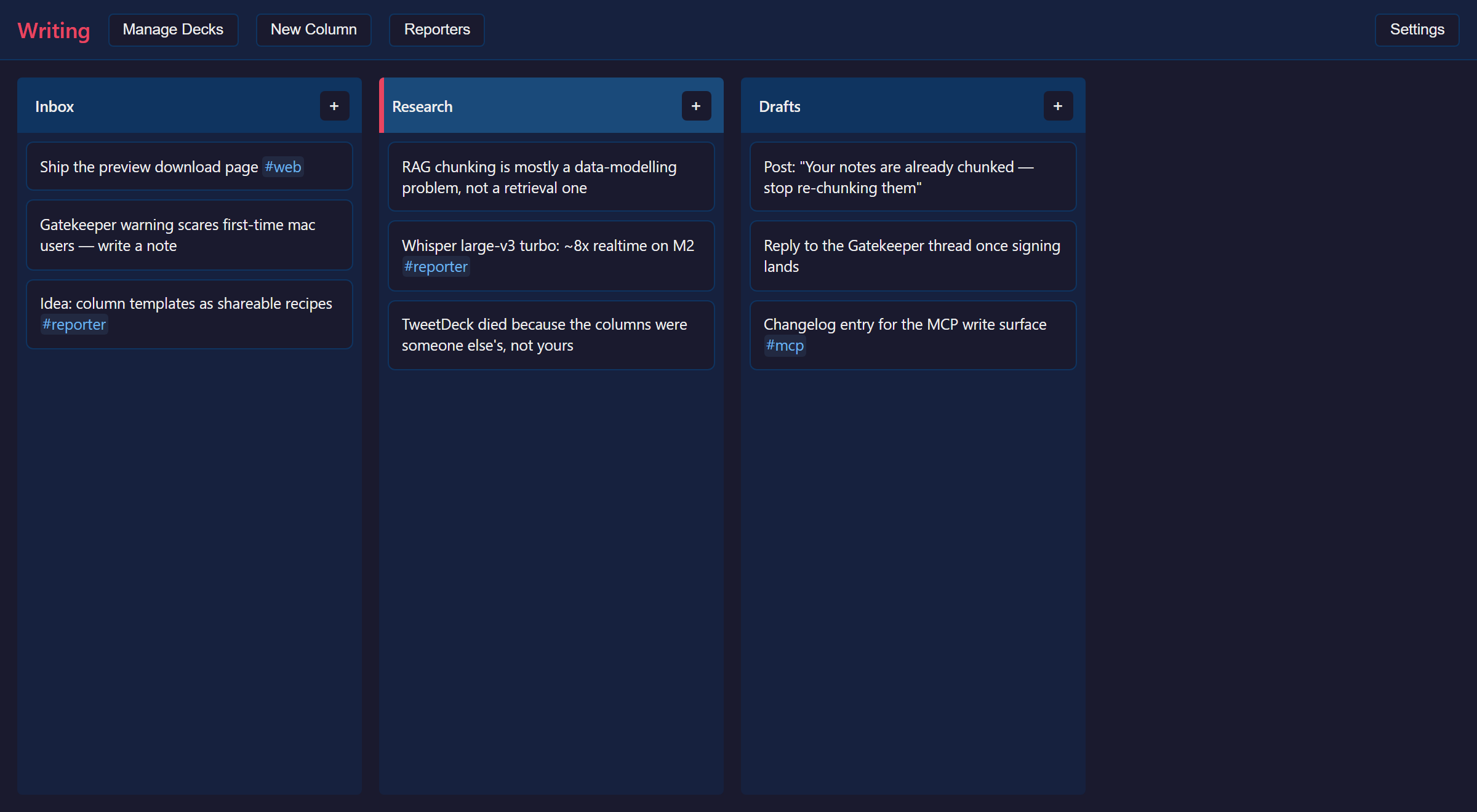
Everything is a keystroke
- oNew card
- h j k lMove anywhere
- iEdit
- d dDelete
- uUndo
- y y / pCopy, paste
- cNew column
- /Filter by tag
- g tTrash
- Ctrl PSwitch deck
Press ? in the app for the full sheet. Rebind anything in Settings.
Why Jot Deck?
0.5s startup
Your thoughts shouldn't wait
Vim + Twitter keybindings
hjkl navigation, never touch your mouse
Cards, not documents
Think in fragments, not paragraphs
Open to your agent
Your AI agent reads and writes your deck over MCP
Reporters
Stream transcripts, webhooks and agent logs into columns
Local-first, always
SQLite on your disk. No account, no cloud, no telemetry.
Your deck, open to your agent
Jot Deck runs no AI of its own. It speaks MCP, so the agent you already use can work directly on your deck. Any MCP-capable client, no API keys, no second bill.
It reads
"What did I conclude about pricing?" Search, recall and draft from months of notes.
It writes
"File the key points from this PDF into Research." Agents can log their own work as they go.
Columns and cards are the chunking an agent needs — done when you typed it, not after the fact.
The whole setup:
{
  "mcpServers": {
    "jot-deck": {
      "command": "/path/to/jot-deck-mcp",
      "env": {
        "JOT_DECK_DECK_ID": "01J...your-deck-id"
      }
    }
  }
}
The app fills in the real path and deck id for you — Copy MCP server config in the Deck switcher.
Columns you mark private stay invisible over MCP.
Reporters in development
Reporters pipe live input into your columns — meeting transcripts, webhooks, an agent's task log — cut into short cards as it happens, never one endlessly growing wall of text.
Not shipped yet. Jot Deck itself stays free.
Built with Tauri + Rust for native performance.
Offline-first with SQLite.
Speaks MCP over stdio, as a bundled sidecar.
Download the Preview
Every push to main ships a fresh build for all three platforms. No stable release yet — this is the way in.
- Not code-signed yet. Windows: More info → Run anyway. macOS: right-click → Open.
- Installs as its own app, with its own data — a rough preview can't touch a future stable install.
- Updates itself, and asks first.